
Steps to Create a Cash Flow Forecast
This article covers a step by step guide, so you can easily create your very own Cash Flow Forecast. Follow these steps to gain amazing insight in to the potential future of your business. Make sure you play with multiple variations and see how different things can affect your business in the future.
Download the Transaction History from Your Bank Account
Login to your business bank account and export 13 week’s transactions, starting from 1st January 2020 in this case, as a CSV file. Make a note of the bank balance on 1st January in this case, the opening balance. The following examples show 10 weeks transactions for readability however 13 weeks is a better sample as it will include any quarterly payments or receipts. Open the file in Excel and you will have a file that looks something like this:
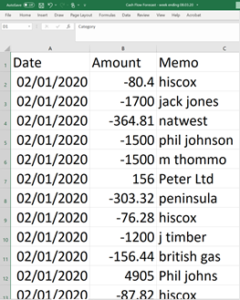
Add a category to each of the transaction line for example: Fixed Cost; Variable Cost; Regular Customer Receipt; New Business Receipt; Loan; Wages etc.
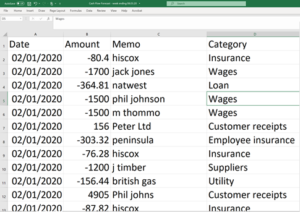
Add a Week Number column and a week number to each transaction by typing =WEEKNUM(A2) in cell E2
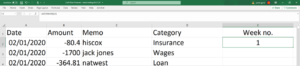
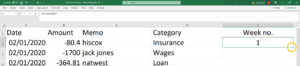
Double click the square at the bottom right hand corner of cell E2 to fill all of the rows with the appropriate week number.
Click the Insert Tab and select all of the data in the Worksheet.
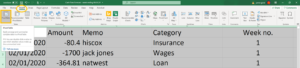
Click Pivot Table and you will see the data range you have selected and in this case, the Pivot Table will be displayed on a new Worksheet. You can display the Pivot Table on the same Worksheet as the data if you prefer by selecting Existing Worksheet and specifying the top left cell location.
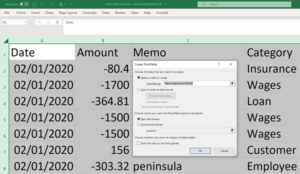
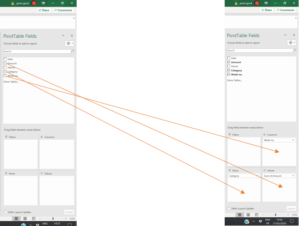
Click OK and the PivotTable Fields dialog box will be displayed. Do the following actions:
1. Drag Amount to Values
2. Drag Week no. to Columns
3. Drag Category to rows
The Pivot Table will be created where you specified and you have now created a Cash summary by week.
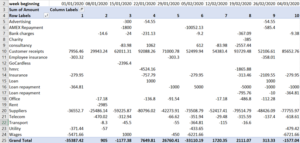
Now add the opening balance that you recorded when you downloaded the bank transactions to cell B28.
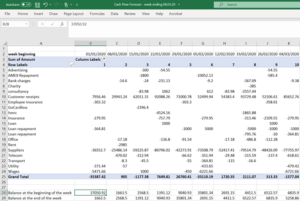
Cell B29 = B28- B25
Cell C28 = B29 and so on
Once you have done this for all columns, check the weekly opening balances tally with the values in your bank account.
Now you can create the forecast using the actuals as a guide by averaging and taking seasonality into consideration:
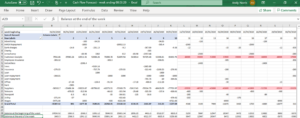
Remember that the forecast Customer Receipts are based on your sales forecast plus the payment terms so for example if you invoice terms are 30 days from date of invoice, your receipts will be one month after the sale whereas your supplier payments may need to be made before the sale. If you calculate the cost of supplier payments as a percentage of sales revenue in the actuals, you can forecast supplier payments as the same percentage of forecast sales for the cash flow forecast, just remember the timing differences e.g. the supplier payments in week 11 are that percentage of the customer receipts in week 15. In this example, the cash flow forecast highlights the cash shortage in weeks 18 and 19.
Extend the forecast to 12 months and update it weekly with actuals and then extend the forecast by one week, that way you will always have a rolling 12-month cash flow forecast to help you manage your business with no surprises.